
Free Video Feedback Tools: Why Most Have a Catch (And the One We Built That Doesn’t)
You send someone a cut for feedback. A few hours later you get back a paragraph: "Looks great — maybe tighten the intro, and the bit near the end feels a little long." Which intro? Which bit near the end? Now you're playing detective with vague notes and no timecodes.
The fix is timestamped feedback — notes pinned to the exact second they refer to. The trouble is that almost every tool which does this well asks for something in return: an account, an upload limit, a project cap, or a "free" trial with a countdown timer. The thing you wanted to be simple turns into onboarding.
This is an honest look at the free options for getting feedback on video and audio — and why, after hitting the same walls over and over, we built our own.
The catch with "free"
Most free feedback tools are free the way a free puppy is free. The friction tends to show up in three places.
You both need an account. Not just you — the person you're asking for feedback. Nothing kills a quick review faster than sending a client a link and watching them bounce off a sign-up screen.
There's a ceiling you'll hit fast. Free tiers come with caps — storage, number of projects, number of collaborators. Fine for a demo, frustrating the moment you do real work.
The clock is ticking. A lot of "free" is actually "free for 14 days." You build a habit, then you hit the wall.
None of this is sinister — these tools have to make money. But if you just want to fire off one cut and get clear notes back, it's a lot of platform for a small job.
What feedback actually needs
Honestly, not much. Get the video in front of someone. Let them leave a note at the exact moment something matters. Get those notes back in a form you can act on. Everything beyond that is decoration.
An honest look at the free options
Frame.io (free tier). The industry standard, and genuinely excellent. But the free plan is built for evaluation — around 2GB of storage and 2 projects on a standard free account (more if you sign in through Adobe Creative Cloud). It's polished and comment-first: typed notes pinned to frames. If you already live in the Adobe ecosystem, it's well worth a look. If you just want to send one link without onboarding into a platform, it's heavier than the job needs.
YouTube unlisted + comments. Free and universal, but comments aren't structured to the frame, there's no IN/OUT range for "this whole section," and you can't export anything. Fine in a pinch, painful at any scale.
Google Drive / Dropbox comments. Same story — general comments, no real timecode precision, no review-specific tooling.
Vimeo Review. Really good, but the review features most people actually want sit behind a paid plan.
What we built — and why
We kept hitting the same wall, so we made Scenenote: a free, no-login tool for getting timestamped feedback on video and audio.
The whole thing is built around one rule — nobody has to sign up. Not you, not the person reviewing. You create a project, you share a link, they leave notes. That's the entire flow.
No accounts, for anyone. No sign-up screen for you or your reviewer. A link is all it takes.
Drop in almost any video. Paste a YouTube, Vimeo, Google Drive, Dropbox or direct URL, or upload an audio file.
Three kinds of notes. A point note pinned to a single moment, a range note with an IN and OUT (and looping) for a whole section, or a general note for overall impressions with no timecode.
Voice notes — the part people don't expect. Most review tools, Frame.io included, are built around typing. Scenenote lets a reviewer tap record, talk for up to 45 seconds, and the note is transcribed automatically. Sometimes it's just faster to say it out loud.
Draw on the frame. Annotate directly on the video to point at exactly the thing you mean.
Exports that fit your edit. Copy everything as text, or export to CSV, EDL, or DAW marker labels so notes land straight on your timeline.
Real-time. Notes appear live as people leave them — no refreshing, no "did you get my comments?"
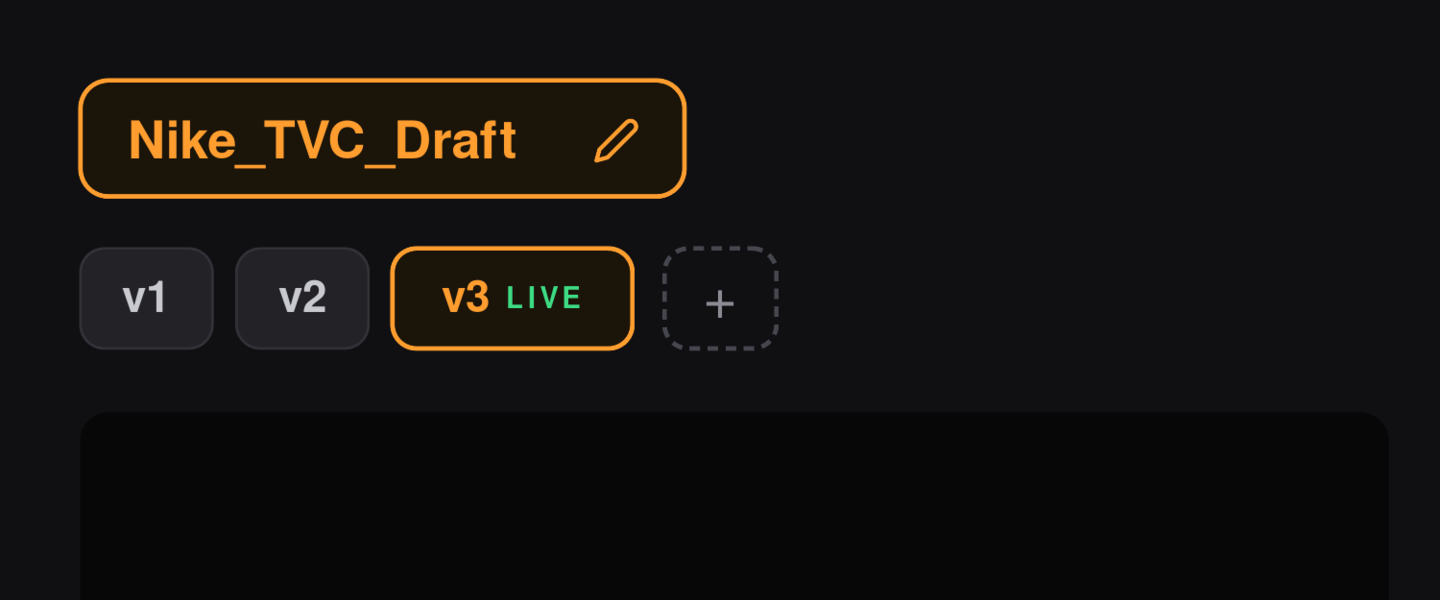
Versions, built in. Got a new cut? Add it as v2, v3, v4 — each version gets its own tab above the player, and every note stays pinned to the version it was left on, so feedback never gets mixed up between cuts. It's link-based, so extra versions cost nothing and stay free — normally something you only get on a paid plan.
Optional email alerts. No accounts means no inbox clutter by default — but if you want to know the moment feedback lands, drop in your email and Scenenote will tell you. Entirely opt-in, and never a sign-up.
A proper review workflow. Reply in threads, mark notes resolved or in-progress, and @mention people so the right note reaches the right person.
What it isn't (on purpose)
Scenenote isn't trying to be Frame.io. There are no accounts, no team management, no asset library. Video comes from a link, and only audio can be uploaded directly — we keep hosting costs near zero so the tool can stay genuinely free. Projects expire after 45 days.
That's not a roadmap we haven't reached yet. It's the point. The moment a feedback tool needs a manual, it's already too complicated.
Try it
If you've got a cut sitting in a folder waiting on notes, this is the lowest-friction way we know to get them. No sign-up, nothing to install.
Frequently Asked Questions
Is Scenenote a free Frame.io alternative?
For getting timestamped notes back on a cut, yes — Scenenote covers the core of what most people use Frame.io for: point, range and general notes, voice notes, drawings, versions and exports, with no accounts and no paid tier. It's lighter and more focused, not a full media-management platform.
Can I share new versions of a cut?
Yes — version stacking is built in. Paste a new link and it becomes v2, v3, v4 as tabs above the player, with feedback kept separate for each version. It's link-based, so it stays free.
Will I know when someone leaves feedback?
If you want to. Add your email to the optional notifications opt-in and Scenenote emails you when new notes land — no account required. Leave it blank and nothing is sent.
Is Scenenote really free?
Yes. It runs on infrastructure that costs us almost nothing, which is exactly why we can keep it free rather than dangling a trial.
Does the person leaving feedback need an account?
No. They open your link and start leaving notes. No sign-up, ever — for them or for you.
Can I upload my own video file?
Audio files you can upload directly. Video comes in via a link — YouTube, Vimeo, Google Drive, Dropbox or a direct URL — which is what keeps hosting (and therefore the tool) free.
How long do projects last?
45 days per project, then they expire automatically.
Can I get the notes into my edit?
Yes — export to CSV, EDL, or DAW marker labels, or just copy everything as plain text.