Colour Grading  ·  Education

How to Convert Footage to Black and White (It’s Not Just Desaturation)

And why dragging the saturation to zero never looks like film

You’ve shot something you know would look striking in monochrome. You drag the saturation slider to zero — and it falls flat. Grey, muddy, a little lifeless. Nothing like the black and white you had in your head.

There’s a reason almost nobody explains: to convert footage to black and white well, you have to stop thinking about removing colour and start thinking about translating it. Desaturating and converting to black and white are not the same thing. One throws colour away. The other decides what each colour becomes.

Get that distinction right and your footage stops looking switched-off and starts looking like it was shot on film. Here’s how it works — and how to do it without grading every shot from scratch.

Key takeaways

  • Desaturating and converting to black and white are not the same process.
  • Black and white is a translation of colour into tone — the same red can land anywhere from near-white to near-black.
  • That mapping (channel mixing plus toning) is what gives each look its mood and decides which footage it flatters.
  • Doing it well by hand, shot by shot, is genuinely time-consuming — which is exactly what a black and white LUT solves.

On this page

Why your black and white looks flat and grey

When you desaturate, every colour collapses to its brightness value and nothing else. A red shirt and a green lawn that reflect a similar amount of light become the same grey — the line between them gone. Do that across a frame and tones that should separate merge into a wash of mid-greys.

That’s the muddy look, and you can’t fully grade it back, because the information that told those tones apart was discarded the moment saturation hit zero. The image went grey. It never became black and white.

Black and white is a translation, not a subtraction

Real black and white starts from a better question: not how do I remove the colour? but how bright should each colour be once it’s grey?

That’s a choice, and it changes everything. A red can render as a pale glow or as near-black. A blue sky can stay open and bright or drop toward black for drama. Skin can sit smooth and luminous or take on texture and weight. Same frame, different image — purely from how colour is mapped to tone.

BLACK WHITE

This is why two black and white versions of one shot can look like two different films. They’re making different decisions about the same colours.

A century of film already worked this out

None of this is new — it’s how black and white film always behaved, and the old language makes the digital version obvious.

Early orthochromatic film couldn’t really see red: red lips went near-black, blue skies blew out to white, skin lost its warmth and gained grit. It’s the uneasy look films like The Lighthouse chased on purpose. Later panchromatic film saw the full spectrum and rendered tones close to how the eye reads them — the natural black and white most people picture.

Then came filters, with one rule every film photographer knows: a filter lightens its own colour and darkens its opposite. A red filter drops a blue sky toward black while the clouds leap off it — the classic landscape look.

In modern grading you do exactly this with channel mixing: deciding how much the red, green and blue channels each contribute to the final grey. Add red, and skies darken while skin brightens — a red filter, rebuilt in software. Every black and white look you admire is, underneath, a particular channel mix plus a tonal curve. A film stock and a filter, written as maths.

The looks — and the moods they create

Once you see black and white as a set of choices, the named “looks” make sense: each is a different recipe for turning colour into tone, and each suits different footage. Here are the ones worth knowing — with the matching look from our Monochrome Cinema collection so you can see each in action.

Classic Silver — the neutral one

A balanced panchromatic rendering: skin luminous, tones true, clean black through open white. The faithful, documentary-grade default. Best for portraits, interviews and street.

Ink — the bold one

Deep blacks, bright whites and punch through every midtone, with skin still holding up against the drama. The contemporary look of music videos, fashion and scroll-stopping social. Best on footage that already has strong directional light.

Noir — the moody one

An orthochromatic response that darkens skies and warm light, gives skin texture, and keys the frame down into shadow — crime-film atmosphere without touching your exposure. Best for narrative, night interiors and dramatic portraits.

Red Filter — the dramatic-sky one

A heavy red-channel response: blue skies pushed toward black, clouds detaching, foliage darkening, skin clean and bright. The most striking way to shoot a sky in monochrome. Best for landscapes and travel exteriors.

Cool Selenium — the gallery one

A steel-blue cast settling into the shadows and low mids while highlights stay crisp. Modern, premium, quietly expensive. Best for architecture, fashion, fine-art stills and overcast urban work.

Warmtone Fade — the nostalgic one

A warm selenium-sepia tint, gently lifted blacks and a soft highlight rolloff — memory over clinical contrast. Best for weddings, family films and warm storytelling.

Noir
Red Filter
Rec.709

▢  Rec.709  → Red Filter → Noir · 

Notice the pattern: the differences are dramatic on colourful, sunlit footage and subtle on flat, overcast frames. That’s not the looks failing — with little colour to translate, there’s little for them to do differently.

Why doing this by hand is so much work

You can build any of these manually, and it’s worth knowing what that takes. Per shot: correct exposure and white balance, set up a channel mixer and tune how red, green and blue become grey, shape a contrast curve that holds detail at both ends, add a toning pass for warmth or coolness, then check it on scopes. Then do it again on the next shot — and match every shot across the timeline so the whole piece reads like one film stock rather than a dozen separate conversions.

It’s real colourist work, and on a full edit it adds up fast. Which is exactly why a finished translation you can drop straight on is so useful.

The Monochrome Cinema LUTs — six finished looks (plus a bonus)

A black and white LUT is that translation, pre-built. Instead of mixing channels on every clip, you apply a finished look and it renders an authentic black and white instantly — the channel mix, tonal response and toning already dialled in.

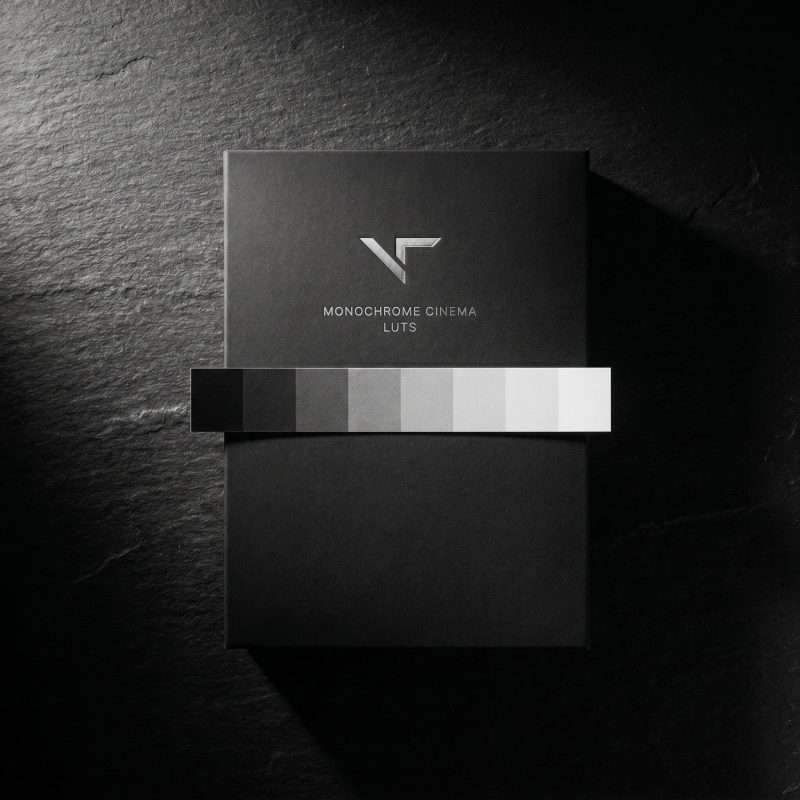
Our Monochrome Cinema collection packages the looks above into one set — Classic Silver, Ink, Noir, Red Filter, Cool Selenium and Warmtone Fade — plus Negative Flash, a creative inverted-monochrome utility for fast-cut, beat-synced moments. Six finished renderings and a bonus, so you have the right translation for skin, skies, mood and landscapes in one pack.

Like all our finishing LUTs:

  • Built on a neutral Rec.709 foundation. Correct your exposure first, then apply a look. Shooting LOG? Convert to Rec.709 first.
  • Designed to run at 100%. You don’t dial these back — lowering opacity reintroduces colour and breaks the look. Shape your grade underneath instead.

$38 · 65-point .cube files · Premiere Pro, Final Cut Pro, DaVinci Resolve, Photoshop

If you also work in colour, the Afterglow collection is the companion on that side — and you can bundle the two.

How to convert footage to black and white, step by step

The reliable workflow, whether you use a LUT or build it by hand:

  1. Correct first. Set exposure and white balance on a clean, balanced image. Black and white still depends on a good base.
  2. Get into Rec.709. Convert LOG or any other colour space before you apply anything.
  3. Apply the translation. Drop on a black and white LUT, or build your channel mix and contrast curve. This is where colour becomes tone.
  4. Shape underneath, not on top. Want more contrast or a different mood? Adjust beneath the look rather than fading it out.
  5. Add grain. The step most people skip — and the one that sells “film”.
Workflow for converting footage to black and white — correct, convert to Rec.709, then apply a LUT and add grain.

Don’t skip the grain

Flat digital black and white reads as “desaturated video”. Black and white with grain reads as “film”. It’s the biggest single lever for authenticity, and a LUT can’t supply it — grain is texture across the whole frame, while a LUT works colour by colour. Add a film-grain overlay after your conversion, keep it subtle, and make it feel intentional rather than like digital noise.

Frequently asked questions

Is black and white just desaturating the image?

No. Desaturation removes colour and collapses everything to brightness, which is why it looks flat. A proper black and white translates each colour into a chosen tone — that’s what gives the image depth and separation.

Does a black and white LUT affect contrast or exposure?

It applies a mild contrast adjustment, but not exposure. The shift is gentle and sits comfortably on Rec.709 / neutral footage. Correct your exposure first, then apply.

Should I lower the opacity of a black and white LUT?

No. These run at 100%. Reducing opacity reintroduces colour and breaks the look. Adjust the grade underneath instead.

Does it work on LOG or iPhone footage?

Convert LOG to Rec.709 first, then apply. Standard smartphone footage works as-is; if you shot in Apple Log, convert it first.

Why do the looks differ a lot on some shots and barely on others?

Because black and white differentiates by translating colour into grey. On colourful, sunlit footage the differences are dramatic; on flat, low-colour scenes they naturally converge.

What format are the LUTs, and can I use them commercially?

Each is a 65-point 3D LUT (.cube) file, compatible with all major editors. Commercial use is fully permitted.

To convert footage to black and white well, stop removing colour and start translating it. That’s the whole difference between grey footage and a real black and white — and once you see it that way, choosing the right look becomes the fun part.

Ready to skip the channel-mixing? Explore the Monochrome Cinema collection — six finished black and white looks plus a creative utility, built on a clean Rec.709 foundation.

Contact us

Fill out the form below, and we will be in touch shortly.
Contact Form page